 HostBuddy Team
Why is my Airbnb response rate low? Almost always because new inquiries or reservation requests sat unanswered past Airbnb's 24-hour deadline inside the rolling 30-day window. Missed notifications, expired requests, and time-zone gaps cause most drops. The rate recovers once you answer inside the deadline and the old misses age out.
Key Takeaways
Airbnb measures response rate over a rolling 30-day window. Airbnb states hosts need to respond to 90% of new messages and accept or decline new reservation requests within 24 hours.
Accepting, declining, pre-approving, sending a special offer, or messaging within the deadline all count as responses. Letting a reservation request expire counts as a non-response.
The seven most common causes are muted alerts, expired requests, late replies, time-zone gaps, low inquiry volume, unclear coverage handoffs, and request-to-book settings.
With few inquiries, one miss moves the rate sharply: one miss out of five new inquiries leaves you at 80%, while one miss out of forty leaves you at 97.5%.
Recovery follows the 30-day window, so plan on up to roughly a month after your last miss instead of expecting an instant reset.
HostBuddy AI answers guest questions around the clock from your property knowledge base and flags what needs you, so the first reply no longer depends on you being awake.
It is 11:40 p.m. A couple wants to know whether your two-bedroom condo has parking for a rental car. Your phone is face-down on the nightstand, and the inquiry sits there until breakfast. Repeat that a few times in a month and the number on your Airbnb dashboard starts to slide.
At HostBuddy AI, we work with hosts and property managers on guest messaging every day. A low response rate comes up constantly, and the cause is rarely neglect. It is usually ordinary: a silenced phone, a request that expired over a busy turnover weekend, or an owner in one time zone managing a property in another.
This guide walks through how Airbnb calculates the number, the seven causes we see most, a step-by-step audit, and a recovery plan. Airbnb's published guidance as of 2026 still uses a rolling 30-day window, but Airbnb updates its host metric wording from time to time. Check the current definition on the Airbnb Help Center before you make decisions around Superhost status.
How Does Airbnb Calculate Your Host Response Rate?
Airbnb calculates your response rate as the share of new inquiries and reservation requests you answered within 24 hours, measured over a rolling 30-day period. Airbnb states hosts need to respond to 90% of new messages and accept or decline new reservation requests within that deadline, so every missed item lowers the percentage.
Rolling means there is no calendar reset on the first of the month. Each day, the oldest day in the window drops off and the newest one joins. A reply sent after the deadline counts as late, which lowers your rate and raises your average response time.
Accepting a request, declining it, pre-approving a guest, sending a special offer, or replying with a message all count as a response. Airbnb's help pages separate new inquiries from ongoing conversations, so follow-ups after a booking are rarely the issue. Spam and Instant Book messages are the odd cases: Airbnb does not spell out every detail, so test them yourself by watching your Stats after one occurs.
The 24-hour clock is where manual hosting breaks down, because guests do not browse on your schedule. We built HostBuddy AI as a messaging automation tool that answers pre-booking questions in seconds instead of hours. The company reports average guest response times of less than 30 seconds.
What Happens If an Airbnb Host Does Not Respond to a Request?
If a host does not respond to a reservation request, the request expires and Airbnb counts it as a non-response, which lowers the response rate. Accepting or declining inside the deadline counts as a response. Silence does not, and the guest typically moves on to another listing.
Airbnb's guest-facing pages tell travelers that the vast majority of hosts respond within 12 hours. A request left sitting for a full day looks slow next to that expectation, and the guest has usually booked elsewhere by the time it lapses.
Does Declining a Request Count as Responding?
Yes. Declining within the deadline counts the same as accepting. If the dates do not work, or the group size breaks your house rules, decline politely and move on. An expired request hurts your rate; a prompt decline does not.
Whether to accept or decline stays your call. Where we help is the traffic around that decision: HostBuddy AI surfaces Action Items, meaning messages that need human attention, with alerts through Slack, email, or text. A conversation that needs you becomes much harder to lose in the pile.
What Are the 7 Most Common Causes of a Low Airbnb Response Rate?
The seven most common causes of a low Airbnb response rate are muted alerts, expired reservation requests, replies after the deadline, time-zone gaps, low inquiry volume, unclear coverage handoffs, and request-to-book settings. Most hosts have two or three at once, which is why a single fix rarely moves the number.
1. Muted or Buried Notifications
App push alerts get switched off during a cleaning turnover and never come back on. Email alerts land in a promotions tab. Airbnb's own hosting resource quotes a Superhost in Mexico City who keeps app, SMS, and email alerts all active. Turn on all of them, then message your own listing from a second account to confirm they fire.
2. Reservation Requests That Expire
Requests on request-to-book listings carry a hard deadline. Weekend turnovers and travel days are when they lapse. Adopt a same-day rule: every request gets an accept, a pre-approval, or a decline, even when your answer is no.
3. Replies That Land Just Past the Deadline
A reply at hour 25 counts as late, even if it was thoughtful and complete. Hosts who batch their inbox once a day get caught here. Two scheduled checks beat one long session, and an automated first reply closes the gap entirely.
4. Time-Zone and Sleep Gaps
Picture an owner in Lisbon with a ski condo in Park City. Guest questions arrive while you sleep, and the deadline keeps running. Coverage scheduling in HostBuddy AI lets you define when automation is active, so a guest writing at 3 a.m. gets a property-aware answer instead of silence.
5. Low Inquiry Volume
A seasonal cabin in the off-season may see only a handful of new inquiries in 30 days. With a small denominator, one miss swings the percentage hard. The arithmetic appears in a table further down.
6. Unclear Coverage Handoffs
Your co-host assumes you answered. You assume your cleaner mentioned it to the co-host. Nobody replied. Name one owner for every block of the day and write down who covers when someone is off.
7. Request-to-Book Settings
With request-to-book, every new guest needs a manual action from you. Instant Book removes the reservation-request step, although guest questions still arrive as messages. The trade-off is less screening, so keep request-to-book only if you can reliably cover the clock.
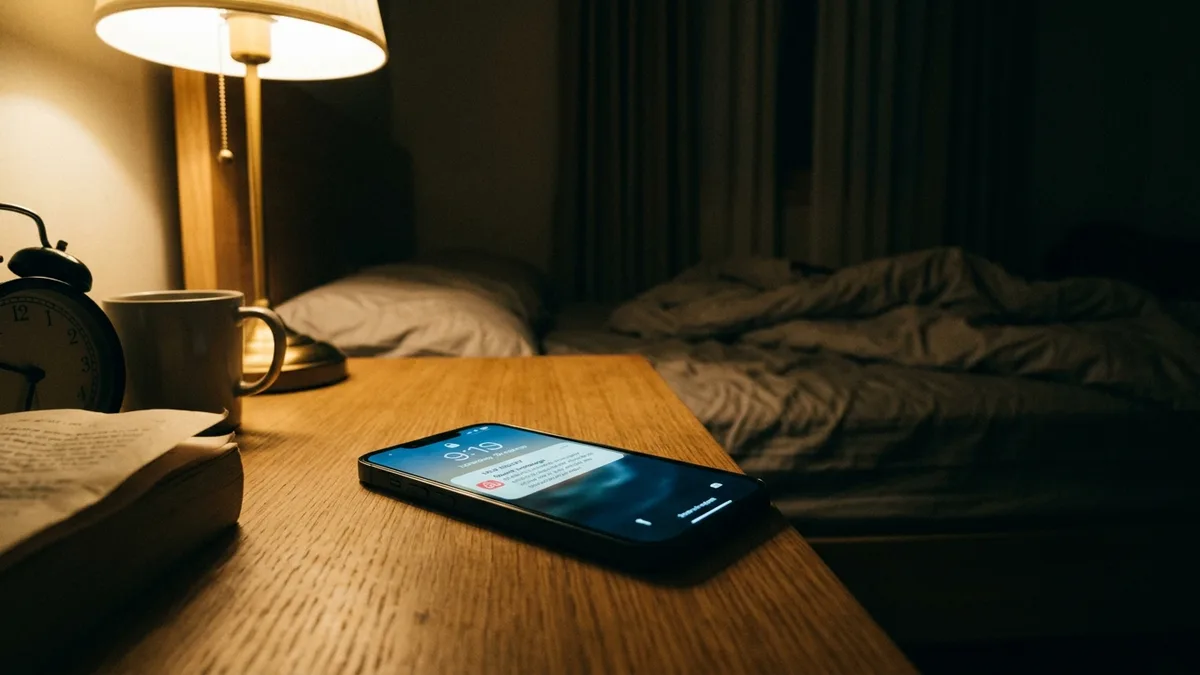
A host's phone on a bedside table at night showing an unread guest inquiry notification, dim lamp glow, quiet tidy bedroom
How Do You Check Your Response Rate and Diagnose the Cause?
You check your Airbnb response rate in the Stats area of your host dashboard or in the Airbnb app, where response rate and response time sit alongside your other host metrics. Then you audit the last 30 days to learn whether the misses were inquiries, expired requests, or late replies.
Menu labels shift between app versions, so look for the performance or Stats view rather than a specific tab name. This audit takes about twenty minutes and tells you which of the seven causes you are dealing with.
Open Stats and write down your current response rate and average response time.
Sort your inbox oldest-first and scan every thread from the last 30 days for a reply that came more than 24 hours after the guest's first message.
Open your reservations list and look for requests that expired without an accept or decline.
Note the hours when misses cluster: overnight, turnover afternoons, or travel days.
Check that push, SMS, and email alerts are on for every device and every account on the listing.
Match what you found to the table below and fix the cause, not the symptom.
Symptom | Likely cause | What to check | Fix |
|---|---|---|---|
Misses cluster overnight | Time-zone or sleep gap | Timestamps on late replies | Automated first reply plus coverage schedule |
Expired reservation requests | Muted alerts or request-to-book overload | Reservations list, alert settings | Same-day accept or decline rule; test Instant Book |
Replies are late but present | Batching the inbox | Gap between guest message and reply | Two scheduled checks a day, saved replies |
Rate swings wildly | Low inquiry volume | Number of new inquiries in 30 days | Answer every item fast; automate repeat questions |
Co-host or team confusion | No named owner | Who replied to each late thread | One owner per time block, written handoff |
If your audit shows most late threads were the same questions about parking and Wi-Fi, the Insights feature in HostBuddy AI shows guest trends over time. That tells you which answers to automate first.

A laptop on a wooden desk showing a simple bar chart of weekly message response times, a notebook and coffee mug beside it, soft daylight
Why Is My Airbnb Response Rate Low Even Though I Reply to Everyone?
A low Airbnb response rate despite replying to everyone usually comes down to small numbers and timing. Airbnb measures replies inside the deadline over a short window, so hosts with few inquiries swing sharply on a single miss, and a reply sent after the deadline still counts as late.
The table below is simple arithmetic, assuming every new inquiry or request counts equally. It is an illustration, not an Airbnb publication.
New inquiries and requests in 30 days | Rate after 1 miss | Rate after 2 misses |
|---|---|---|
5 | 80% | 60% |
10 | 90% | 80% |
20 | 95% | 90% |
40 | 97.5% | 95% |
Read it against the 90% expectation Airbnb states for hosts. A host with ten inquiries has no room for a second miss. A host with forty can miss four and still sit at 90%.
That is why single-listing hosts feel this hardest. One slow weekend can undo a month of good work. AI Messaging in HostBuddy AI answers from your property rules at 3 a.m. the same way it does at 3 p.m., so a small inquiry count stops being a fragile one.
How Do Response Time and Response Rate Differ, and Do They Affect Ranking?
Response rate is the percentage of new inquiries and requests you answered inside the deadline. Response time is how long your replies take on average. Airbnb formally ties the 24-hour deadline and 90% expectation to host standards such as Superhost; claims that sub-hour replies boost search ranking come from third parties and are not confirmed Airbnb policy.
We treat the 24-hour rule as a floor. Guests comparing three listings at 10 p.m. tend to book the one that answers first, whatever any ranking algorithm does. Fast replies convert inquiries into bookings, and that value exists apart from any metric.
Where Superhost Status Fits In
Superhost review includes a response rate expectation, and a low rate can put the badge at risk. Airbnb sets the evaluation schedule and thresholds, so read the current criteria on Airbnb's Superhost page in 2026 rather than relying on a blog post, including this one. The 90% figure is the number to plan around.
HostBuddy AI reports that its AI automated 90% of guest responses within two weeks of onboarding. Your own result depends on how complete your knowledge base is and how many of your questions repeat.
How Do You Set Up Alerts and Coverage So Nothing Slips Through?
A reliable setup pairs alerts that reach you on more than one channel with a coverage plan that names who answers during each part of the day. Alerts catch what arrives. Coverage decides who acts on it, especially for remote owners or teams spread across time zones.
Alerts That Survive a Busy Day
Enable Airbnb app push, SMS, and email. Then allow Airbnb through your phone's focus or Do Not Disturb modes, or you will silence the one app that matters. The AI messaging inside HostBuddy AI also comes with a mobile app for iOS and Android, so you can see conversations from anywhere.
A Simple Handoff Protocol
Split the day into coverage blocks in the time zone where most of your guests are awake.
Name a primary and a backup for each block, including cleaners or co-hosts who can reach the inbox.
End each block with a short note listing open threads and pending requests.
Spend ten minutes each week reviewing any late items and who owned them.
When something urgent surfaces, such as a lockout at midnight, escalation matters more than speed. HostBuddy AI sends Action Items by Slack, email, or text so the right person sees it, and automation stays out of the way of anything safety-related.
Can Auto-Replies, Scheduled Messages, and Co-Hosts Fix It?
Yes, as long as the reply answers the question the guest asked. Airbnb's saved replies and scheduled messages cover predictable moments, a co-host covers hours you cannot, and an AI messaging tool connected to your PMS covers repeat questions at any hour. A canned reply that dodges the question protects your rate but loses the booking.
Option | Best for | Limit |
|---|---|---|
Airbnb saved replies and scheduled messages | Predictable moments like arrival details | Fixed wording; cannot answer property-specific questions |
Co-host or virtual assistant | Judgment calls and unusual requests | Covers limited hours; cost varies by arrangement |
PMS-connected AI messaging | Repeat questions around the clock | Needs a reviewed knowledge base and escalation rules |
One of the Superhosts in Airbnb's hosting resource, based in New Delhi, schedules a quick reply 24 hours before each check-in with access instructions and arrival information. That is a good use of scheduling. It handles the predictable message, and you keep your attention for the rest.
What Should a Good Automated Messaging Tool Do?
Look for a PMS connection, answers drawn from your own knowledge base, tone and delay controls, escalation to a human, multilingual replies, and coverage scheduling. Our breakdown of the best AI messaging app for Airbnb walks through eight criteria in more detail.
Here is what a good inquiry reply sounds like:
Hi Dana, thanks for asking about the two-bedroom A-frame. One dog is welcome; the pet fee is listed in the house rules. Check-in is at 4 p.m., and I can confirm early arrival closer to your date. Let me know if you would like me to hold the dates.
Keep refund negotiations, safety issues, and accept-or-decline decisions with a human. Parking, Wi-Fi, check-in time, and pet policy are strong candidates for automation.
HostBuddy AI is priced per property, per month. Pro is $7 and includes 30 days of conversation history and up to 2 guest journeys. Elite is $10 and adds Smart Inbox, Custom Tone & Delay, and a Website Chat Widget, with 60 days of history and 5 guest journeys. Ultimate is $12 with unlimited history, guest journeys, team collaboration, and business insights, plus webhooks. Billing is monthly or annual, with two months free on annual, and every plan includes PMS integration, global language support, and knowledge base customization. See the pricing page for current details.
Setup takes about five minutes, and our setup guide covers the PMS connection. Because replies go out through your PMS in the guest thread, check your Airbnb Stats after the first couple of weeks of the trial to see how they register on your account.

A smartphone propped on a kitchen counter showing a short guest message thread with a quick helpful reply, morning light, coffee mug nearby
How Long Does It Take for a Low Response Rate to Recover?
A low Airbnb response rate recovers on the rolling 30-day window. Each missed item stops counting once it ages out, so expect up to about a month after your last miss to see the full rebound. Each on-time reply improves the percentage right away because it adds to the share you answered.
A short worked example: a host with 10 inquiries in the window and 2 misses sits at 80%. Answer the next 10 on time, let the two misses age out, and the rate returns to 100%. Nothing resets on a calendar date; progress comes from the window sliding forward.
Track it weekly. Pick a weekday, open Stats, and write down the rate and your average response time. A notebook works fine. For more structure on ongoing monitoring, our best practices page collects the habits we recommend for guest messaging.
For multi-property operators, HostBuddy AI Insights shows guest trends across your portfolio so you can spot which listing is generating late threads before it affects your rate.
What Common Mistakes Hurt Your Airbnb Response Rate?
The most common mistakes are letting requests expire, trusting one device, and automating without an escalation path. Each one is fixable in an afternoon, and none requires you to answer faster than a human reasonably can.
Leaving a reservation request open while you think about it. Decline or pre-approve instead, because expiry counts as a non-response.
Relying on one phone that goes on silent during turnovers. Add a second alert channel.
Sending generic auto-replies that dodge the question. The guest asks again and books elsewhere.
Assuming a co-host or cleaner is watching the inbox when nobody was told to.
Turning on automation with no human path for a water leak or a lockout.
Chasing a sub-hour target by staying up all night, instead of letting an automated first reply cover the gap.
We built HostBuddy AI around the last two: it answers repeat questions from your property rules and flags anything that needs a person, so you stay in control of exceptions without living in the inbox.
Frequently Asked Questions
What is a good Airbnb response rate?
Airbnb states hosts need to respond to 90% of new messages within 24 hours, and Superhost eligibility draws on that expectation. Many hosts aim for close to 100% because the margin is thin with few inquiries. Confirm the current threshold on the Airbnb Help Center.
Do I have to reply to thank-you messages to keep a 100% response rate?
The metric tracks new inquiries and reservation requests, so a thank-you inside an ongoing conversation is generally not a new inquiry. A short reply costs you nothing and keeps the thread friendly.
Does declining a reservation request count as responding?
Yes. Accepting or declining within 24 hours counts as a response. Letting the request expire without action counts as a non-response and lowers your rate.
Does a low response rate affect search ranking or Superhost status?
Response rate is part of the standards Airbnb applies to Superhost status, so a low rate can put the badge at risk. Claims that faster replies raise search ranking come from third-party sources and are not confirmed Airbnb policy. Fast replies still help you win bookings from guests comparing listings.
How long does a low response rate take to recover?
It follows the rolling 30-day window. Each miss stops counting once it ages out, so full recovery can take up to about a month after your last miss. On-time replies improve the percentage immediately.
What are the best automated messaging tools for Airbnb hosts?
Look for a tool that connects to your PMS, answers from your own knowledge base, supports tone and delay controls, and escalates urgent issues to a human. Airbnb's saved replies and scheduled messages work for predictable moments. HostBuddy AI is built for the repeat questions that arrive at any hour.
Are you able to negotiate prices on Airbnb?
Guests can message a host to ask about a better price, and the host decides whether to respond. A special offer or pre-approval sent within the deadline counts as a response for metric purposes. Whether to discount is your pricing call; keep the reply inside the deadline either way.
What Should You Do First to Fix a Low Airbnb Response Rate?
If you arrived asking why is my Airbnb response rate low, the answer is almost always a handful of missed items inside a rolling 30-day window: muted alerts, expired requests, or replies past the deadline. Start today by turning on alerts on every channel, auditing the last 30 days, and declining requests you will not accept instead of ignoring them.
Then close the overnight gap. In 2026, guests expect answers at any hour, and the hosts who set up coverage now will keep their numbers steady through slow seasons and busy ones.
A branching path of message shapes leaving a simple flat house silhouette.
If you want faster replies without being tied to your phone, start your 14 day free trial of HostBuddy AI. It connects to your PMS, answers guest questions around the clock from your knowledge base, and sends anything that needs you to Slack, email, or text. Setup takes about five minutes, and free onboarding support is included.
Written by Jay Ullrich, CEO & Co-Founder, 40+ Unit STR Portfolio, Civil Engineer to STR Expert at HostBuddy AI