 Jay Ullrich
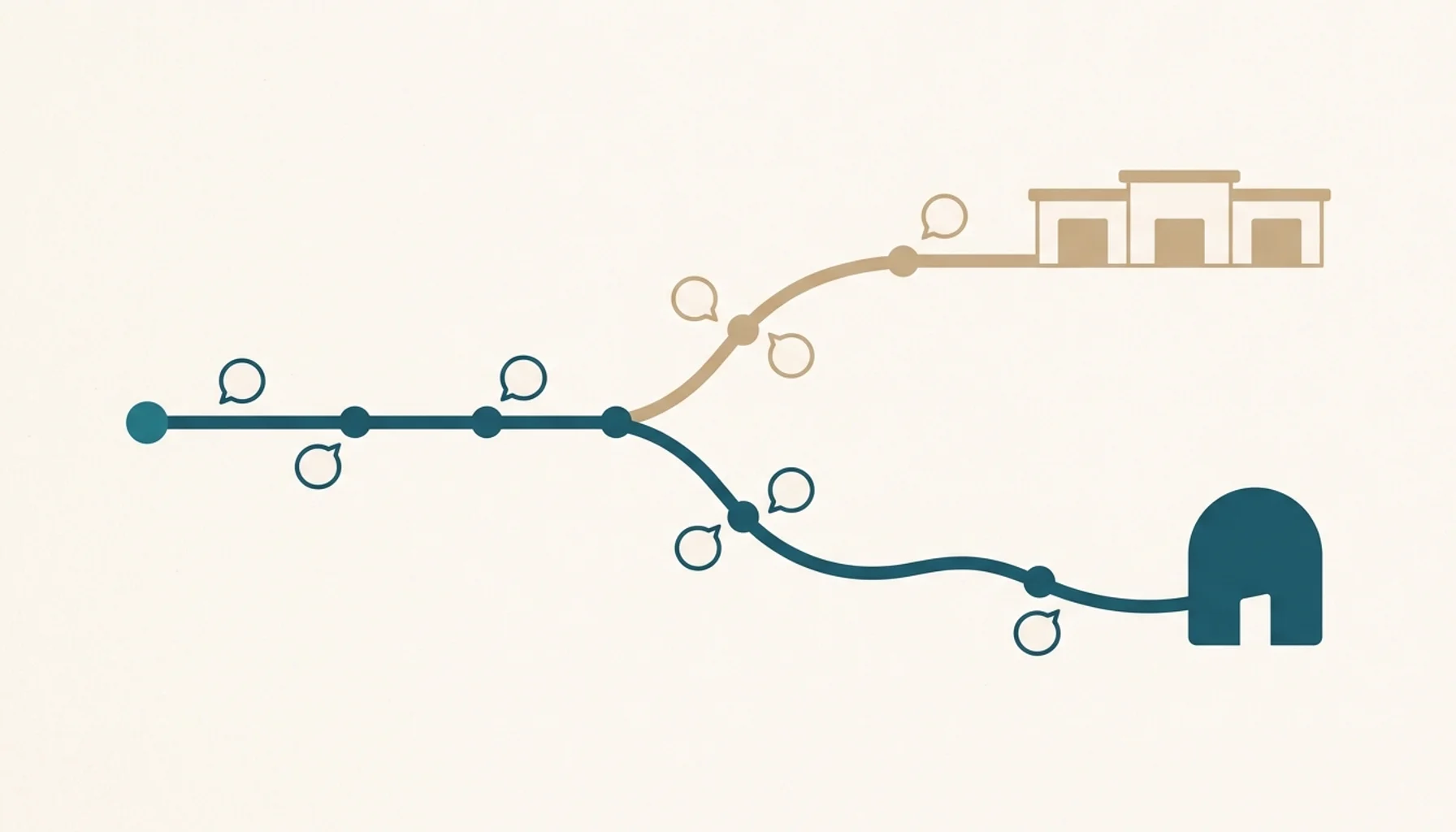
A messaging automation tool is software that sends and answers guest messages for you using triggers and AI, so replies go out without manual typing. In short-term rentals, it connects to your PMS and handles booking, check-in, in-stay, and checkout messages around the clock.
Key Takeaways
- A messaging automation tool for vacation rentals watches for triggers such as a new inquiry or a date milestone, then sends the matching reply and hands off to a human when needed.
- The workflow has four stages: trigger, filter, reply, and human handoff. A tool without the last stage is a liability during emergencies.
- Messaging automation serves booked and prospective guests one-to-one, while marketing automation broadcasts campaigns to lists. They solve different problems.
- Pricing for vacation rental messaging automation varies by vendor; plans at HostBuddy AI start at $7 per property monthly, with PMS integration and global language support on every plan.
- You prove it works by recording baselines before launch: first response time, inquiry-to-booking conversion, review ratings, share of messages handled without you, and upsell acceptance.
- HostBuddy AI automates guest replies, upsells, and support escalation from your PMS, with setup in about five minutes and a 14-day free trial, so you stop retyping the same answers.
It is 11pm. A guest wants the door code again, and a prospective guest on Vrbo is waiting to hear whether you allow dogs. You can answer both from bed or let the inbox sit and risk the booking. At HostBuddy AI, we have watched hosts reach this point around their fifth or sixth listing, and the fix is almost always a messaging automation tool that answers for you.
Timing matters in 2026. Industry forecasts point to more listings competing for guests and softer occupancy, which makes a fast, accurate reply one of the few advantages you control. When a guest compares several Airbnb listings, a quick answer is often what separates the host they message from the one they skip.
This guide covers what the software is, how the workflow runs, what it costs, how to measure it, and how to prepare before your next peak travel window. Every recommendation comes from how we build and support our platform for hosts and property managers across the country.
What Is a Messaging Automation Tool for Short-Term Rentals?
A messaging automation tool for short-term rentals is software that connects to your property management system and replies to guests on your behalf. It answers pre-booking questions, sends timed check-in and checkout messages, and flags conversations that need you. The goal is fast, accurate communication without you sitting at the inbox.
Guests on Airbnb and Vrbo expect quick answers, and every listing you add multiplies the volume. One tool that reads your reservation data can answer for every address with the right details, which a shared message template cannot do.
Hotels use a similar category called guest messaging software. According to the Mews Hotelier Survey 2026, 92% of hoteliers are optimistic about AI in hospitality, and 83% trust AI tools to support decision-making. Vacation rentals differ in one important way: there is no front desk, guests arrive alone, and one host answers for many properties.
That gap is why we built HostBuddy AI around the PMS and the self-check-in guest rather than around a hotel lobby.
How Does a Messaging Automation Tool Work Behind the Scenes?
A messaging automation tool works by watching for a trigger, such as a new inquiry or a guest question, then checking conditions and sending the matching reply. When the conversation falls outside what it can safely answer, it hands the thread to a human. Most workflows follow the same four stages.
- Trigger: a guest message arrives, or a date milestone hits, such as the morning before checkout.
- Filter: the tool checks which property, which reservation, and which language the conversation involves.
- Reply: the AI drafts an answer from your knowledge base, or a scheduled message goes out on time.
- Fallback and handoff: if the question is unclear, urgent, or sensitive, the tool flags the thread for you or your team.
HostBuddy AI handles the filter stage by reading your PMS data, so a door code question gets the code for that guest's stay and not a generic answer. It also learns from your past conversations, which means the reply to a question you answered manually last month gets sharper over time.
How Can You Automate Text Messages and Guest Chats Without Sounding Robotic?
You automate guest messages without sounding robotic by feeding the tool your real property details and your preferred tone, then adding a short delay before each reply. Answers that reference the right listing and your actual house rules read as human. Generic templates with blanks are what guests recognize as automation.
There are two methods, and they suit different jobs. Scheduled templates with merge fields work for predictable messages like arrival instructions. AI-generated replies work for open questions, such as whether a van fits in the driveway, where no template could anticipate the wording.
Knowledge base customization comes with every HostBuddy AI plan, so the AI answers from your facts instead of guessing. On the Elite and Ultimate plans, Custom Tone & Delay lets you set the voice and the pause before sending. Replies travel through the channels your PMS already connects, so guests stay in the thread they started; confirm channel coverage during onboarding. You can read more about how our AI messaging works before you start.
What Is the Difference Between Messaging Automation and Marketing Automation?
Messaging automation handles one-to-one conversations with people who have a booking or an open question, while marketing automation sends campaigns to segments of a list. One answers a guest asking about checkout; the other promotes an offer to past guests. Mixing the two goals produces tools that do neither well.
Several labels get used interchangeably in search results, which confuses buyers. The table below separates the categories by purpose so you can see where each fits your guest communication.
| Category | Built for | Typical trigger | Typical pricing model | Fit for STR guest communication |
|---|---|---|---|---|
| SMS-only automation | Text campaigns and reminders | Keyword or schedule | Varies by vendor | Limited; often lacks reservation context |
| General marketing automation platform | Campaigns, lead nurturing, email sequences | List membership or form submission | Varies by vendor | Useful for past-guest promotions; weak on live questions about a stay |
| Cross-channel unified inbox | Collecting many channels in one team inbox | Incoming message | Often per seat; varies | Good visibility; replies stay manual unless automation is added |
| Purpose-built STR messaging automation (HostBuddy AI) | Guest conversations tied to reservations | Inquiry, booking, date milestone, guest question | Per property monthly, published plans | Built for it: PMS connected, 24/7 replies, escalation, upsells |
We built HostBuddy AI for the last row. A marketing platform can nurture past guests, but it has no idea which reservation a question belongs to.

What Does a Guest Journey Look Like From Booking to Checkout?
A guest journey is the ordered set of messages a guest receives from inquiry to post-checkout, each tied to a trigger such as booking confirmation or checkout morning. Mapping it once lets your automation send every message on time across every listing, without rebuilding it for each stay.
A practical journey covers these stages:
- Pre-booking inquiry replies, where speed decides whether the guest books
- Booking confirmation with house rules and arrival expectations
- Pre-arrival message with parking, door code timing, and directions
- Arrival-day check-in note
- In-stay support for questions about Wi-Fi, appliances, and local tips
- Checkout reminder and instructions
- Post-checkout thank-you and review request
In HostBuddy AI, guest journeys are the building blocks for this sequence: up to 2 on Pro, 5 on Elite, and unlimited on Ultimate. Before each peak window in 2026, reread every stage. Update parking notes, checkout times, and event-week tips so the automation sends what is true this season.
What Happens When a Guest Has an Urgent Problem?
Support escalation is the rule set that tells a messaging automation tool when to stop answering and alert a human. Safety concerns, complaints, refund requests, and unusual requests should route to you or your team immediately, while routine questions stay automated.
Picture a guest locked out at midnight or reporting a water leak. An auto-responder that keeps producing polite, generic replies makes that situation worse. The tool has to recognize that the conversation needs judgment and get it in front of a person fast.
That is the safety net we designed into HostBuddy AI. It flags conversations that need human attention instead of trying to resolve everything itself, so you can trust automation with routine messaging and stay in the loop on what matters. My opinion: skip any tool that cannot hand off cleanly, however good its routine replies look in a demo.
Can Messaging Automation Handle Upsells and International Guests?
Yes. Guest messaging automation can offer early check-in and late checkout at the right point in the guest journey, and it can reply in the guest's own language. HostBuddy AI includes custom upsells on the platform and global language support on every plan.
Upsells fail for one reason: nobody has time to pitch every guest by hand. With HostBuddy AI, the tool spots opportunities like an open gap night or a request for a flexible arrival, then messages the guest at the right moment with an offer. You set the offers; the pitching runs without you.
International guests add a second layer. A traveler writing in another language gets a reply in that language without you opening a translation app, which reduces the confusion that leads to lower review scores.
Which Guest Messaging Automation Is Best for Your Portfolio?
The best guest messaging automation for you is built for vacation rentals, connects to your PMS, prices per property, and escalates to a human when needed. Hotel-oriented software often assumes a front desk and room inventory that vacation rentals lack, so check for STR-specific workflows before you compare features.
Use this checklist when you evaluate any option:
- Direct PMS integration, with no separate integration fee
- Published per-property pricing instead of a custom quote
- Built-in escalation for urgent conversations
- Knowledge base customization so answers match your properties
- Multilingual replies for international guests
- Upsell capability for early check-in, late checkout, and gap nights
- Setup measured in minutes, with onboarding help
If you are comparing social DM automation tools, remember that they are built for creators and online stores. Guest conversations need reservation context.
Our plan guidance is direct. Pro is the right starting point for most single-property hosts. Elite suits self-managers who want Smart Inbox and tone control. Ultimate is overkill unless you run a real team or need webhooks. HostBuddy AI has been recognized by Capterra for Best Value and Ease of Use, and by Software Advice for Customer Support and as a Recommended solution.
How Much Does Messaging Automation Cost, and Is It Worth It?
Vacation rental messaging automation is typically priced per property, per message, or per seat, and published prices vary widely by vendor, so check each pricing page before you compare. HostBuddy AI charges per property monthly, from $7 to $12, and every plan includes PMS integration, global language support, and knowledge base customization.
| Plan | Price per property monthly | Conversation history | Guest journeys | Added capabilities |
|---|---|---|---|---|
| Pro | $7 | 30 days | Up to 2 | Core AI messaging |
| Elite | $10 | 60 days | 5 | Smart Inbox, Custom Tone & Delay, Website Chat Widget |
| Ultimate | $12 | Unlimited | Unlimited | Unlimited team collaboration, unlimited business insights, webhooks |
Monthly or annual billing is available, and annual billing includes two months free. New users get a 14-day free trial with free onboarding support. The current pricing page always shows the latest plan details.
On return on investment, run the math with your own numbers. Compare the monthly per-property fee with one booking lost to a slow reply, plus the evening hours you spend retyping answers. The company reports its AI automated 90% of guest responses within two weeks of onboarding, though your result depends on how complete your knowledge base is.
How Do You Measure Success From Messaging Automation?
You measure messaging automation by recording baseline numbers before launch, then comparing the same numbers over a fixed period afterward. Track first response time, inquiry-to-booking conversion, review ratings, the share of messages handled without you, and upsell acceptance. Sends and clicks alone tell you very little.
Compare like with like. A holiday month and a quiet month produce different inquiry volumes, so judge results against the same season in the prior year or against a stretch with similar demand. Otherwise seasonality gets credited to the software.
Watch escalations too. A high count of flagged conversations usually points to gaps in your knowledge base, which you can fix by adding the missing answer. HostBuddy AI keeps 30 days of conversation history on Pro, 60 on Elite, and unlimited on Ultimate, which also sets how far back you can review. Ultimate adds unlimited business insights for teams that report to owners or investors.

How Long Does Setup Take, and How Do You Prepare Before Peak Season in 2026?
Setting up HostBuddy AI takes about five minutes: you connect your PMS and then fill in your knowledge base. The longer task is preparation, meaning writing down the answers guests ask most, ideally before each 2026 peak travel window begins so the tool starts with accurate information.
What is different this year is competition. With forecasts pointing to more listings and softer occupancy, hosts who respond faster and upsell better protect revenue that higher occupancy used to cover. Work through this checklist:
- Connect your PMS using our step-by-step setup guide
- Load Wi-Fi details, parking, check-in steps, appliance notes, house rules, and local tips into the knowledge base
- Review guest journey timing for each stage
- Set escalation contacts so urgent threads reach a person
- Test with sample questions, including one in another language
- Turn on the upsells you want to offer
Start your free trial a few weeks before your busiest dates. You can watch early replies during quieter days and correct the knowledge base before volume arrives.
What Security and Compliance Questions Should You Ask a Vendor?
Security and compliance for messaging automation means knowing how a vendor stores guest personal data, which privacy terms govern it, and how consent and opt-outs work for text messaging. Platforms that store guest or owner personal data generally fall under privacy rules such as GDPR and CCPA, which expect clear privacy policies and data processing agreements.
Ask any vendor where guest data is stored, how long it is kept, and whether a data processing agreement is available. Keep payments in your booking platform: PCI DSS requirements apply to any platform that processes or transmits card data, so never ask guests to type card numbers into a chat thread.
Consent rules for text marketing differ by region and change over time, so verify the current requirements with an official source or legal counsel. You can review the HostBuddy AI privacy policy to see how we describe data handling.
What Mistakes Should You Avoid When Rolling Out Automation?
The most common messaging automation mistake is launching with a thin knowledge base, which produces vague or wrong answers that guests notice immediately. Fix it by loading real property details before go-live and reviewing early conversations daily for the first week.
Other mistakes are easy to avoid. Leave no escalation contact blank. Keep complaint handling with you, since it needs your judgment. Update answers when seasons change, and buy Pro rather than Ultimate when Pro fits your portfolio.
Skip any vendor that locks you into a long contract before you have seen replies in your own inbox. HostBuddy AI offers monthly or annual billing, with two months free on annual. Our guest communication best practices walk through tone, timing, and review habits in more detail.
Frequently Asked Questions
Is a messaging automation tool the same as an auto-responder?
No. A basic auto-responder sends one fixed reply to every message. A messaging automation tool also reads context, sends timed messages across the guest journey, answers open questions with AI, and escalates urgent conversations to a person.
How much does messaging automation software cost for vacation rentals?
Pricing varies by vendor and is usually per property, per message, or per seat. HostBuddy AI plans run $7, $10, or $12 per property monthly depending on features, with a 14-day free trial. Check each vendor's current pricing page before you compare.
Which messaging automation software works best for vacation rentals?
The best fit connects to your PMS, prices per property, handles international guests, and escalates urgent issues to a human. We built HostBuddy AI specifically for short-term rentals, from single listings to large portfolios.
How is hotel guest messaging software different from a vacation rental messaging automation tool?
Hotel software assumes a front desk, room inventory, and on-site staff. Vacation rental tools assume self check-in, one host covering many addresses, and guest questions tied to a specific reservation, which is why the workflows differ.
Can messaging automation handle guests who speak other languages?
Yes. HostBuddy AI includes global language support on every plan, so guest messages are answered in the guest's own language without a separate translation app. This reduces confusion for international travelers.
What happens if a guest has an urgent issue the AI cannot resolve?
The support escalation logic flags the conversation for you or your team. Safety concerns, complaints, and unusual requests go to a human instead of receiving an automated answer.
How long does setup take, and does it work for a single listing?
Setup takes about five minutes once you connect your PMS, and onboarding support is free during the trial. It works for one listing as well as for large portfolios, since pricing is per property and the Pro plan covers the essentials.
What Should You Do Next?
A messaging automation tool answers guests in seconds, sends every message on schedule, and hands urgent conversations to you. The workflow is straightforward: trigger, filter, reply, handoff. Your results depend on the knowledge base you load and the baselines you record before launch.
Guest messaging should not cap how many properties you can manage or eat your evenings. With HostBuddy AI handling routine replies, upsells, and escalations, you keep your attention for the moments that need a person. Heading into the rest of 2026, that speed and consistency will matter more as competition for bookings increases.
If answering the same guest questions every night sounds familiar, HostBuddy AI can take it off your plate starting today. Setup takes about five minutes, and your first 14 days are free with onboarding support included. Start your free trial with HostBuddy AI.
Content powered by inkSTR.co