 Jay Ullrich
You reduce guest messaging time STR hosts struggle with by automating predictable messages on a schedule, answering repeat questions from your own property information, and escalating only real problems to a person. HostBuddy AI does this through your property management system, so routine replies go out quickly while you handle exceptions.
Key Takeaways
Repeat questions about check-in, parking, wifi, and house rules fill much of a typical STR inbox, and they are the first messages to automate.
A guest journey with scheduled messages at booking, before arrival, on arrival day, mid-stay, and after checkout removes most manual typing.
AI replies are only as accurate as the property information behind them, so a current knowledge base and clear SOPs matter more than any setting.
Refunds, safety issues, and complaints should stay human, with escalation rules that alert the right person.
Measure messages sent per booking and weekly inbox minutes before and after a small pilot, so you know whether messaging time is dropping.
HostBuddy AI answers guests through your property management system using each property's own information and escalates to you or your team when a human is needed.
It is 11:12 p.m. A guest wants to know where to park, the same question another guest asked on Tuesday, and you answer it from your phone while a movie plays in the background. Multiply that across properties and platforms, and messaging becomes a second job.
Hosts are already moving on this. As of 2026, PhocusWire reports that in the KeyData 2027 Vacation Rental Industry Outlook survey of 392 U.S.-based property managers, 50% reported using AI for guest messaging automation. Adoption is no longer experimental, but results depend heavily on setup.
At HostBuddy AI, we built guest messaging automation by hosts, for hosts, and we see the same pattern constantly: good properties and drained operators. This guide covers which messages to automate, how to map them, how to stop midnight pings, and how to measure the result. If you want the definition first, our explainer on what a messaging automation tool is and how it works covers the basics.
Which Guest Messages Can You Automate, and Which Should Stay Human?
Automated guest messaging for vacation rentals means software sends or answers guest messages using triggers and your property details. You can safely automate booking confirmations, arrival instructions, house-rule questions, checkout reminders, and review requests. Refunds and safety concerns should stay with a person. So should complaints.
Automate these first
Start with questions that have one correct answer: check-in time, parking, wifi, how the hot tub or oven works, and checkout steps. Each of these has a fixed answer, so automation can reply without judgment. As a rule, if you typed the same answer several times last month, that answer belongs in automation. Our guest communication best practices go deeper on wording.
Keep these human
Keep refund conversations human, and automate the rest. Guest-reported safety problems, such as a broken lock, also need a person. A bad guest experience belongs on the same list. These threads need judgment and empathy, and a template can make the situation worse. For example, a canned apology sent to an angry guest can escalate the complaint rather than resolve it.
A sample decision in practice
A guest writes, 'Can we check in at noon?' HostBuddy AI checks your SOP for early check-in. It offers the option as a paid upsell if you allow it, or declines politely if the previous guest checks out at 11. You do not have to open the thread, and the request can still earn money.

A host relaxing on a sofa in the evening with a phone resting on the armrest, warm lamp light
How Do You Map Every Message From Booking to Checkout?
A guest journey is a schedule of messages tied to booking events: confirmation, pre-arrival, arrival day, mid-stay, checkout, and post-stay. Mapping each touchpoint to a trigger turns daily typing into a one-time setup. The timings below are common starting points; adjust them to your property and stay length.
Stage | Typical trigger | What the message covers | Who handles replies |
|---|---|---|---|
Booking confirmation | Immediately after booking | Thanks, house rules summary, what happens next | Automation |
Pre-arrival | A few days before check-in | Directions, parking, digital guidebook link, early check-in offer | Automation |
Arrival day | Morning of check-in | Door or lockbox access, wifi, emergency contact | Automation; escalate lockouts |
Post-arrival | A few hours after check-in | Quick check that everything works | Automation; escalate problems |
Mid-stay | Day two or three of longer stays | Short check-in and an offer to help | Automation; escalate complaints |
Checkout reminder | Evening before or morning of checkout | Checkout time, trash, key return | Automation |
Post-checkout | Within a day | Thanks and a review request | Automation |
HostBuddy AI builds these stages into guest journeys covering pre-arrival and check-in. The guest journeys also cover mid-stay and checkout. As a result, instead of copying instructions into each thread, the right message goes out at the right moment for each property.
One risk deserves attention: stale information. A scheduled message with an old door code or outdated parking note creates more work than it saves. Review your knowledge base whenever an access method or parking rule changes. In addition, a pre-arrival message that links a digital guidebook cuts repeat questions before they start. Our tips and tricks collection includes more host-tested setups.
How Does AI Answer Guest Questions From Your Property Information?
AI guest messaging reads an incoming message, finds the matching detail in your property's knowledge base or SOPs, and replies in your chosen tone. When no matching detail exists, the AI hands the conversation to you or your team. Reply quality depends on the information behind it.
For example, take a guest who messages at 9:40 p.m.: 'How do I turn on the oven?' Suppose your knowledge base says the gas oven has a push-then-turn knob. Push in and hold for two seconds, then turn clockwise for broil or counterclockwise for bake. The AI sends exactly that, not a vague 'check the manual.'
With a PMS connected, HostBuddy AI pulls listing details and keeps reservation and inquiry information current. You can also upload .txt, .pdf, or .docx files, or fill in a guided form. Importantly, uploaded files must be text-based, because image processing is not yet supported. Our AI messaging overview shows how the pieces connect.
Automation will not fix a confusing house manual. Fix the manual first, then let the AI use it. A testing sandbox lets you try real guest questions before any guest sees a reply. HostBuddy AI powers 25,000+ properties, has processed 40M+ messages, and averages a response time under 30 seconds.
How Do You Stop Midnight and Late Check-In Messages?
You stop most late-night messages by sending arrival instructions before guests need them and giving them a reply path that does not wake you. Midnight messages usually come from missing information, not from guests who want to chat.
Send instructions twice
Send full self-check-in details on the morning of arrival, then a short reminder with the door or lockbox steps closer to the typical arrival window. Guests crossing time zones often land while you sleep. As a result, the second message is the one they read at the curb.
Answer the next question in advance
Add wifi and parking details to the same arrival message, plus what to do if the code fails. Guests who find everything in one place stop asking follow-up questions. In addition, a message a few hours after check-in asking whether everything works catches small issues before they become midnight ones. For example, a guest who cannot find the wifi password can reply in the afternoon instead of at 1 a.m.
Let automation cover the hours you sleep
Some late messages will still arrive, and a true lockout deserves a fast human reply. We designed the auto-reply settings and escalation in HostBuddy AI so routine late questions get answered while real emergencies trigger a notification to you. For hosts who travel or hold a day job, that coverage matters more than any template. Global language support also helps when a guest writes in another language.
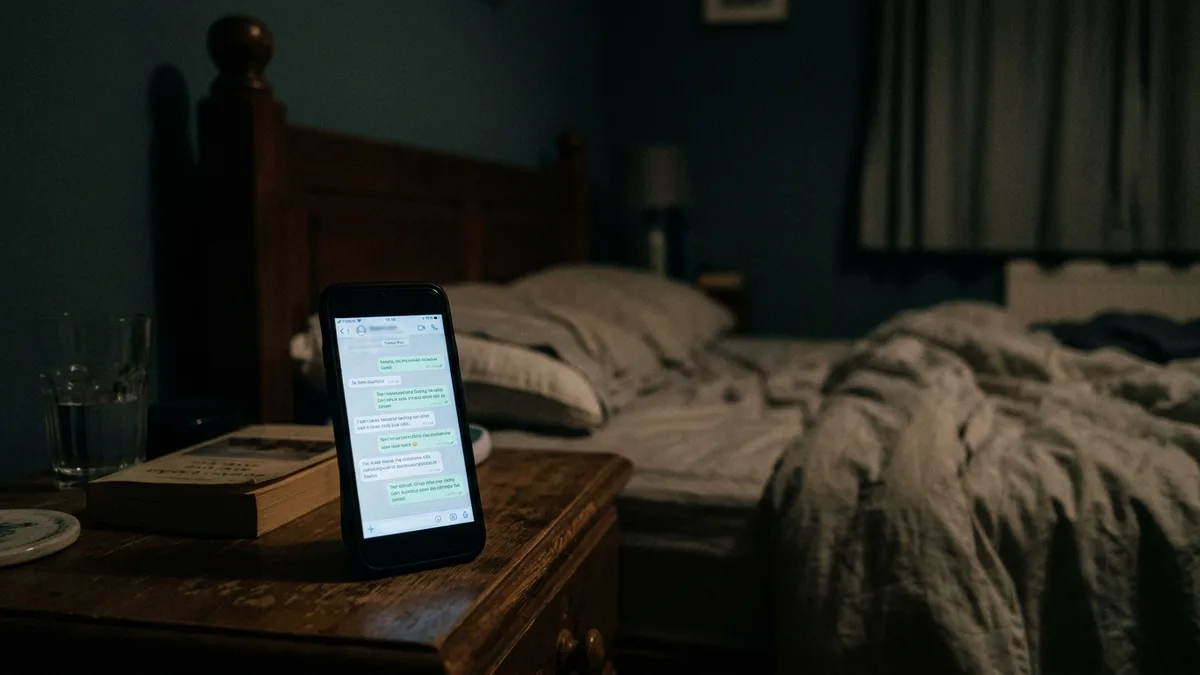
A smartphone on a bedside table at night showing a guest message thread, soft glow from the screen, a quiet bedroom
How Do You Reduce Guest Messaging Time Without Sounding Robotic?
You reduce guest messaging time without sounding robotic by controlling tone and length, plus reply timing. Giving the automation specific property detail instead of generic text matters as well. A reply that answers the exact question reads as helpful, whatever sent it.
Write your sample messages the way you talk. If you sign off with a first name and one short sentence, the AI should too. HostBuddy AI lets you set custom tone and response length, and you can add a delay. HostBuddy AI also learns from past conversations, so replies reflect how you already write.
Keep replies short. A guest who asked about parking needs one parking answer, not a welcome essay. Then test the awkward cases in the sandbox: a message that mixes two topics, or a guest who writes in fragments.
Automation cannot read emotion. A frustrated guest needs a person, which is why escalation rules matter as much as tone settings. Our setup guide walks through tone and SOP settings step by step.
When Should the AI Escalate to You or Your Team?
Escalation means the AI passes a conversation to you or your team when it cannot answer or when the topic needs human judgment. Define the triggers before launch: lockouts, safety concerns, maintenance reports, complaints, and refund or damage discussions.
Then assign an owner for each category and an after-hours plan. A solo host owns everything, so decide which issues justify a night notification and which can wait until morning. In contrast, a team needs named people, because unclear handoffs are where guests wait longest. General guidance on customer service tiers and escalation paths stresses passing troubleshooting history along with the issue, and the same logic applies to a guest thread.
Here is a concrete case. A guest writes, 'The lockbox won't open.' The AI acknowledges the message, shares the backup access step from your SOP if one exists, and alerts you.
HostBuddy AI creates action items with notifications when a conversation needs a person, and larger operations can route alerts through Slack notifications and webhooks. The full thread stays in the Smart inbox, so whoever picks it up sees what the guest asked and what the AI answered. The mobile app puts the alert in your pocket.

A property manager at a desk reviewing a shared inbox on a laptop while a teammate checks a phone notification, bright office
Which Messaging Tools Fit STR Hosts and Property Managers?
STR hosts have three practical options: reply manually, use a platform's built-in scheduled messages and saved replies, or add an AI messaging layer that answers from property information. The right pick depends on how many unscripted questions you receive and how many properties you run.
Approach | Setup effort | Handles unscripted questions | Escalation | Fits best |
|---|---|---|---|---|
Manual replies | None | Yes, by you, at any hour | You are the escalation | One property with low message volume |
Built-in scheduled messages and quick replies | Low | No; fixed text only | Not part of the feature | Hosts who mainly need timed instructions |
HostBuddy AI integrates with Guesty, Hostaway, Hostfully, Hostify, Hospitable, Lodgify, Smoobu, Hostex, Beds24, OwnerRez, Zeevou, BookingSync, Resly, and Tokeet, with 20+ integrations in total. WhatsApp and OpenPhone connect into the same unified inbox, and a website chat widget answers pre-booking questions on direct booking sites.
Pricing is per property, and every plan includes a 14 day free trial; the pricing page lists current plans. For the criteria we use to judge options, see our guide to the best AI messaging app for Airbnb, and our software solutions page shows where messaging fits in a stack. You can also start the free trial and test it with your own listing.
How Do You Measure Whether Guest Messaging Time Is Dropping?
You measure messaging time by tracking how many messages you personally send per booking and how many minutes you spend in the inbox each week, recorded before automation and again after a pilot. Without a baseline, 'it feels faster' is all you have.
Audit one to two weeks of threads and tag each guest question as a repeat or an exception.
Pilot the automation on one property or a small group.
Review escalated and corrected replies weekly, and fix the source information behind each one.
Compare messages sent per booking and weekly inbox minutes against your baseline.
Roll out to the remaining properties.
Results vary by portfolio and message volume. In a published HostBuddy AI case study, a host automated 88.5% of guest responses across 262 properties in two weeks. Treat that as one example, not a promise. Business insights in HostBuddy AI give you reporting without building spreadsheets by hand.
Frequently Asked Questions
What is an AI auto-responder for vacation rental guests?
An AI auto-responder reads incoming guest messages and replies using your property's own information instead of sending fixed text. The auto-responder handles routine questions such as check-in details, parking, and house rules. In contrast to a template, it passes anything it cannot answer to you. HostBuddy AI works this way through your property management system.
How much time can messaging automation save per booking?
Time savings depend on your message volume, how many questions repeat, and how complete your property information is. Record messages sent per booking and weekly inbox time as a baseline, then compare after a pilot. As noted above, one published HostBuddy AI case study shows 88.5% of responses automated across 262 properties, but your result will differ.
Will automated messages hurt my reviews or host ranking?
Fast, accurate answers tend to help the guest experience, while wrong or stale answers hurt it. The risk sits in outdated information and tone-deaf replies to complaints. As a result, you should keep complaints human, review your knowledge base regularly, and test replies in the sandbox. Check each platform's help center for how the platform treats response behavior.
What happens when the AI can't answer a guest's question?
HostBuddy AI escalates the conversation to you or your team and creates an action item with a notification. Larger operations can send alerts through Slack or webhooks, and the full thread stays in the Smart inbox. As a result, you step in only where a human is needed.
Which property management systems does HostBuddy AI integrate with?
HostBuddy AI integrates with Guesty, Hostaway, Hostfully, Hostify, Hospitable, Lodgify, Smoobu, Hostex, Beds24, OwnerRez, Zeevou, BookingSync, Resly, and Tokeet, and supports 20+ integrations overall. WhatsApp and OpenPhone connect into the unified inbox. More answers live on our FAQ page.
Does HostBuddy AI support guests who speak other languages?
Yes, HostBuddy AI offers global language support, so guests can write in their own language. Test a few sample messages in the sandbox so you can see how replies read before guests do.
Is there a free trial for HostBuddy AI?
Yes, every HostBuddy AI plan includes a 14 day free trial. Pricing is per property, so you can test the tool on one listing first. You can sign up here and connect your property management system.
How Do You Start to Reduce Guest Messaging Time in 2026?
To reduce guest messaging time in 2026, automate the repeat questions on a guest journey schedule, keep sensitive conversations human, and fix your property information before the AI uses it. Measure a baseline, pilot on one property, and expand from there. Guest expectations for fast answers will keep rising, so a setup that replies quickly at any hour is a sound investment for the years ahead.
If you want your evenings back, HostBuddy AI handles guest journeys and routine questions through your property management system and escalates the exceptions to you. Start Free Trial for 14 days and test it in the sandbox with your own property's questions before guests see a single reply. Pick one property and add its details. Then see how much of your inbox clears out.
Written by Jay Ullrich, CEO & Co-Founder, 40+ Unit STR Portfolio, Civil Engineer to STR Expert at HostBuddy AI