 Jay Ullrich
Automated review request messages Airbnb hosts rely on work best when they send once, shortly after checkout, and only after you know the stay went smoothly. For most hosts, a scheduled guest journey beats typing each request by hand or relying on one generic template, because a guest journey follows the stay instead of the calendar alone. At HostBuddy AI, we built the checkout stage of the guest journey to handle this, with open problems escalated to you instead of buried in the inbox.
Key Takeaways
Automated review request messages are scheduled or AI-sent checkout messages that invite guests to leave an honest Airbnb review, so you stop typing one for every booking.
Airbnb's Help Center has described a 14 day window after checkout for submitting reviews. Check the current figure there, since we have not been supplied platform documentation. One well-timed message plus at most one reminder fits inside that window.
Three approaches compete: manual messages, scheduled templates in Airbnb or a PMS, and AI guest journeys. Manual breaks at scale, templates cannot read context, and AI journeys need accurate property information.
Airbnb's policies restrict incentives and pressure for ratings, so ask for honest feedback and never for five stars.
Review requests land better when a mid-stay check-in has already caught and resolved problems.
HostBuddy AI automates the checkout stage of the guest journey, answers from each property's own information, works with 20+ integrations, and escalates exceptions to you, with a 14 day free trial on all plans.
It is 11:40 on a Sunday morning. Your guests left twenty minutes ago, the cleaner is waiting on a lockbox code, and the review ask you meant to send sits behind three other tasks. Hosts skip review requests for exactly this reason. As a result, the stays that get skipped are often the ones that went well.
This comparison covers how automated review request messages on Airbnb work in 2026, which approach fits which operation, and where the risks sit. We publish the comparison as the team behind HostBuddy AI, so we say plainly where our own approach has limits.
You will find Airbnb's review window and timing covered here, along with the wording. There are three ways to send the message: by hand, from a scheduled template, or through an AI guest journey.
What Are Automated Review Request Messages for Airbnb Hosts?
Automated review request messages for Airbnb hosts are checkout-stage guest messages that send on a schedule or trigger and invite the guest to leave an honest public review without the host typing each one. They come in two forms: fixed templates that fire at a set time, and AI-driven messages that respond to what the guest said during the stay.
Here is the mechanical flow. A booking creates a reservation in your property management system. A rule, such as checkout day plus a few hours, queues the message. The message then goes out through the connected channel. Importantly, Airbnb also prompts guests for reviews on its own, so your message works as a nudge, not the only reminder a guest receives.
Why bother? Review count and recency shape how your listing looks next to others competing for the same dates in 2026. In addition, review asks are the task hosts drop first when turnovers pile up.
We cover the wider mechanics in our guide to how a messaging automation tool works. The same triggers drive the AI-powered guest messaging we built into HostBuddy AI, where the review ask is one stop on a longer guest journey.
What Do Airbnb's Review Rules and Timing Windows Allow?
Airbnb's review window is the period after checkout during which both host and guest can submit a review. As far as we know from general platform knowledge, the window is 14 days, but we have no supplied Airbnb document to cite, so confirm the number in the Help Center. Reviews are double-blind, so neither side sees the other's review until both are in or the window closes. Platform policies change, so recheck before you build your timing.
The wording rules matter more than the window. Airbnb's policies restrict offering incentives in exchange for reviews and pressuring guests toward a particular rating. For example, a discount for five stars is out. So is a message that implies the guest owes you a good score. Read the exact policy text in the Help Center before you finalize any wording.
A scheduled message is still your message. A scheduled message carries the same responsibility as one you type at your desk, which is why we recommend asking for honest feedback and inviting guests to reply privately if something fell short.
In HostBuddy AI you set tone and SOPs in one place, so the wording standard applies to every property instead of depending on whoever drafted each template. Revisit the standard when Airbnb updates its terms.

A host sitting on a sofa in a bright modern rental living room checking a phone showing a scheduled message thread
How Do Manual, Template, and AI Review Requests Compare?
Manual messages and scheduled templates differ from AI guest journeys mainly in how much they know about the stay. Manual messages know everything but cost your time. In contrast, templates know nothing about the guest. AI journeys know what your property data and conversation history contain.
Criteria | Manual messages | Scheduled templates | AI guest journey (HostBuddy AI) |
|---|---|---|---|
Setup effort | None up front | Low; write once, set timing | Moderate; needs accurate property information and a sandbox test |
Timing consistency | Depends on your memory and schedule | Consistent | Consistent, tied to the checkout stage |
Personalization | High, if you have time | Low; same wording for every guest | Uses the property's own information and conversation context |
Problem stays | You notice only if you read the thread | Cannot tell a good stay from a bad one | Escalates unresolved issues to the host or team with action items and notifications |
Scales across properties | Poorly | Moderately | Built for multiproperty configuration |
Cost | Your time | Varies by tool | Per property per month, with a 14 day free trial on all plans |
Best for | One or two listings | Small portfolios with uniform stays | Multi-property operators, remote hosts, busy self-managers |
Manual messages
Manual review requests are messages you type yourself for each guest after checkout. Typing your own request gives you the warmest, most personal result because you can mention specific moments from the stay. However, the manual approach fails the week you travel or get sick. Manual requests fail just as badly when you host back-to-back turnovers, because the review ask is the first task to slip when cleaners, lockbox codes, and guest questions compete for your attention. As a result, manual messaging suits only hosts with one or two listings and low turnover.
Scheduled templates
A scheduled template is a fixed review request written once in Airbnb's inbox or your PMS and sent automatically at a set time. A scheduled template fixes the timing problem because every guest gets the message on schedule. However, the template sends identical words to the guest who loved the stay and the guest whose heater broke on night two. In contrast to an AI journey, a template cannot read context, so a complaint and a compliment receive the same ask.
AI guest journeys
HostBuddy AI covers the timing problem and the context problem. The tradeoff is setup: the AI is only as good as the property information you give it.
When Should You Send the Request After Checkout?
The best time to send a review request is shortly after checkout, while the stay is fresh and well inside Airbnb's review window. Sending at 6 a.m. while guests are loading the car buries the message. In contrast, sending a week later invites a shrug.
In our experience, a simple sequence works across property types:
Mid-stay: a short check-in that asks if anything is missing, so problems surface while you can still fix them.
Checkout morning: thanks and departure reminders, with no review ask yet.
A few hours after checkout: the review request itself, once.
Partway through the window: one gentle reminder if the guest has not responded.
Stop at one reminder. A third message reads as pressure and can cost you the goodwill the review depends on.
Our best practices library goes deeper on message sequencing. In HostBuddy AI, the checkout stage of the guest journey is the natural slot for the ask. We have no screenshot to share here, so check the stage and message settings in your own account for the exact labels. The mid-stay stage before the checkout stage is where you catch trouble early.
How Does HostBuddy AI Handle Review Requests in the Guest Journey?
A guest journey is the sequence of messages a guest receives from booking through checkout: pre-arrival, check-in, mid-stay, and checkout. HostBuddy AI places the review request at the checkout stage, so the request follows everything the guest experienced instead of firing on a bare timer.
Picture a guest messaging at 9:40 p.m. on night two: the hot tub will not heat. HostBuddy AI answers from your SOP, walking through the troubleshooting steps you wrote. If the fix fails, HostBuddy AI escalates to you or your team with an action item and a notification, and Slack alerts are available for larger teams. You solve the problem. The checkout message then goes out against a conversation you can read in the Smart inbox.
The platform powers 25,000+ properties globally, has processed 40M+ messages, and reports an average response time under 30 seconds. Those numbers matter here because a guest who gets a fast answer mid-stay is a different review candidate than one who waited overnight.
Limits exist. HostBuddy AI cannot repair a heater, and HostBuddy AI cannot invent house rules you never documented. Test your wording in the sandbox before any guest sees it.
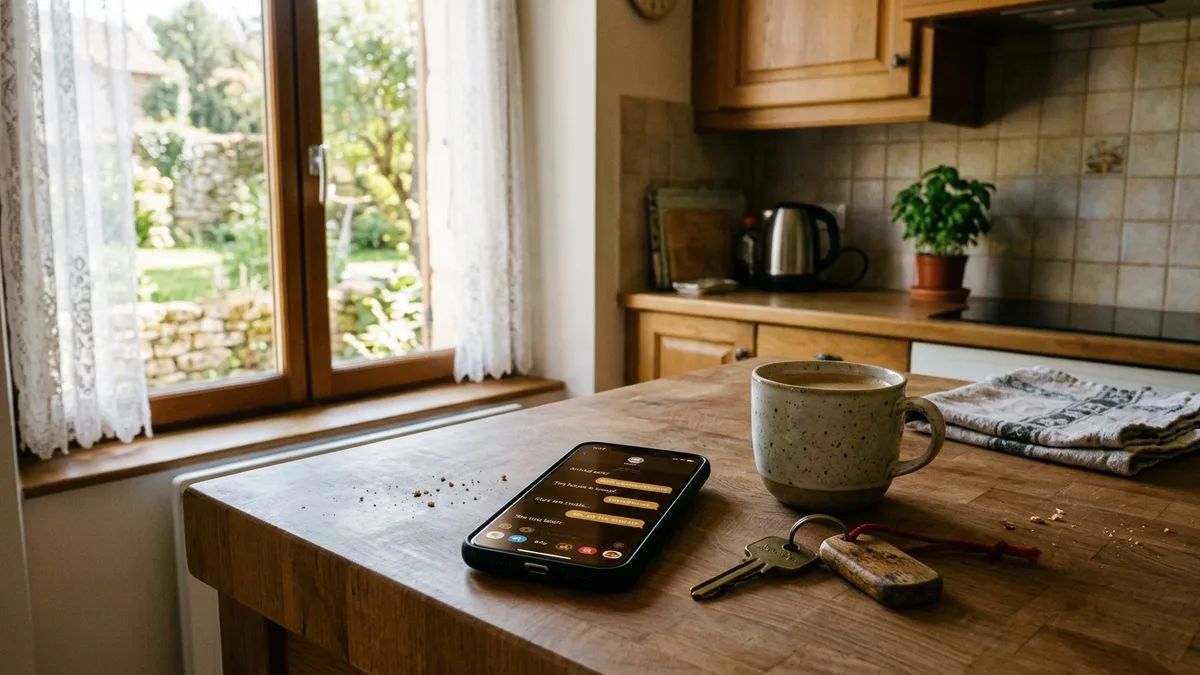
A tidy kitchen counter in a vacation rental with a smartphone showing a conversation thread, a coffee mug, and a house key beside it
What Should the Message Say, and What Should You Keep Human?
A good automated review request thanks the guest by name, references something specific from the stay, asks for an honest review, and invites private replies if anything fell short. The message never mentions star counts or discounts. Favors are off the table too.
Here is an example you can adapt:
Hi Maya, thank you for staying with us. Checkout went smoothly on our end, and we hope the hot tub earned its reputation. If you have a minute, an honest review on Airbnb helps future guests know what to expect. If anything fell short, reply here and we will make it right.
Keep some conversations human. Refund requests and damage reports should reach a person, not a scheduled ask. So should safety concerns and any guest who raised an unresolved complaint. Automate the rest.
When a message does escalate, the handoff should carry the full conversation, a principle laid out in this explainer on customer service tiers and escalation paths. HostBuddy AI keeps that history in one inbox, and our tips and tricks collection has more wording examples.
Global language support helps when a guest reads more comfortably in another language, so the request still sounds like a person wrote it.
Which Option Fits Your Operation, and What Should You Look For?
The right review automation depends on your portfolio size, how often you travel, and how reliable your property information is. No single option wins for every host, and we would rather say so than oversell ours.
Choose manual messages if you run one or two listings with low turnover and enjoy writing personal notes. Choose scheduled templates if you have a small portfolio with uniform stays and a PMS that already handles timing. Choose an AI guest journey if you manage several properties or travel often. An AI guest journey also fits if you work a day job or field enough messages that checkout asks keep slipping. Skip it for now if your house manual is thin; fix the manual first, then let the AI use it.
If you are comparing software, check these points:
Control over the wording and tone of the checkout message
Property-specific answers instead of generic replies
Escalation to a person when a guest reports a problem
Clean integration with your PMS
A testing sandbox before launch
Clear per-property pricing with no undisclosed fees
According to Hostfully's 2026 data, an analysis of 2,248 vacation rental operators and 31,474 active integrations found a full automation stack saves an estimated 7+ hours per listing per month. That figure covers the whole stack, not review requests alone.
Our eight criteria for choosing an AI messaging app expand on this checklist, and our software solutions page shows where HostBuddy AI fits. For cost, check the pricing page for current per-property plans.
How Do You Set Up Automated Review Requests Step by Step?
Setting up automated review requests takes six steps, and the first one decides how good everything after it will be. Most of the effort goes into your property information, not the tool.
Fix your source material. Update your house manual, then load it into the HostBuddy AI knowledge base as a .txt, .pdf, or .docx file, or use the guided form.
Connect your PMS. HostBuddy AI works with 20+ integrations, including Guesty and Hostaway; the Hostaway setup guide walks through one example.
Write the checkout SOP. Define the thank-you, the honest-review ask, and what to avoid, such as star counts and incentives.
Set tone and reply behavior. Choose response length, delay, and auto-reply settings so messages read like you.
Test in the sandbox. Run a happy checkout, then a complaint, and confirm the complaint escalates.
Launch on one property first. Watch the inbox for a few stays, then roll out through multiproperty configuration.
Our setup guide covers the full onboarding flow. When you want to test this with your own listings, start your 14 day free trial and use the sandbox before guests see a single message.
Why Do Automated Review Request Messages Airbnb Hosts Send Need Careful Setup?
Automated review request messages Airbnb hosts send need careful setup because a scheduled message speaks for you in every inbox at once. Mistimed or pushy wording repeats across every booking instead of affecting a single guest. Good setup keeps automated review request messages Airbnb guests receive honest, calm, and tied to how the stay actually went.
Start with three checks. First, confirm the send time lands after checkout and not during the departure rush. Second, read the wording against Airbnb's policies on incentives and rating pressure. Third, make sure unresolved complaints stop the ask and reach a person.
Review your automated review request messages Airbnb account settings every few months, because platform rules and your own properties change. A short audit of the wording, the timing, and the escalation path keeps the messages useful. When the audit passes, automated review request messages Airbnb hosts rely on become a quiet habit that supports your listing instead of a risk to it.
Frequently Asked Questions
How does Airbnb review automation work for hosts?
A scheduled rule or AI journey sends a review request after checkout through your connected PMS or Airbnb inbox. Fixed templates send identical wording at a set time. AI journeys such as HostBuddy AI adjust to the conversation and escalate problems to you.
How long do guests have to review on Airbnb?
Airbnb has described a 14 day window after checkout for both guests and hosts to submit reviews, though you should verify the current figure in the Airbnb Help Center. Reviews are double-blind until both are submitted or the window closes.
Can I automate review requests under Airbnb's rules?
Airbnb's policies restrict incentives for reviews and pressure toward specific ratings, so your wording matters more than whether a human or a tool sends it. Ask for honest feedback, never mention star counts, and read the current policy in the Airbnb Help Center. More answers are on our FAQ page.
What is the best Airbnb review automation software?
The best fit depends on your portfolio and how accurate your property information is. Look for wording control, property-specific answers, escalation, PMS integration, a testing sandbox, and transparent per-property pricing. HostBuddy AI is our own product and offers a 14 day free trial on all plans.
What happens if a guest reports a problem before checkout?
HostBuddy AI answers from your SOP and troubleshooting steps first. If the issue stays unresolved, HostBuddy AI escalates to you or your team through action items and notifications, with Slack alerts available. You resolve the problem before the checkout stage message goes out.
Which property management systems does HostBuddy AI integrate with?
HostBuddy AI integrates with 20+ property management systems and channels, including Guesty, Hostaway, Hostfully, Hostify, Hospitable, Lodgify, Smoobu, Hostex, Beds24, OwnerRez, Zeevou, BookingSync, Resly, and Tokeet. In addition, HostBuddy AI connects non-PMS channels such as WhatsApp and OpenPhone, so every guest conversation lands in one inbox.
Conclusion
Automated review request messages on Airbnb pay off when they are timed shortly after checkout and worded honestly. They also need a fast path for problems. Manual messages suit one or two listings, templates suit uniform stays, and an AI guest journey suits operators who need timing, context, and escalation without staying glued to the inbox.
As more listings compete for the same guests in 2026 and beyond, consistent review requests will matter more than any single clever message. Fix your property information, write one clear checkout SOP, and test it before launch.
If you want review requests that follow each stay instead of a timer, Start Free Trial with HostBuddy AI. Its checkout-stage guest journey and support escalation handle the routine ask and route the exceptions to you. Set it up with your own properties during the 14 day free trial, then sign up here when you are ready.
Written by Jay Ullrich, CEO & Co-Founder, 40+ Unit STR Portfolio, Civil Engineer to STR Expert at HostBuddy AI